
Admin –> Subscription and Users
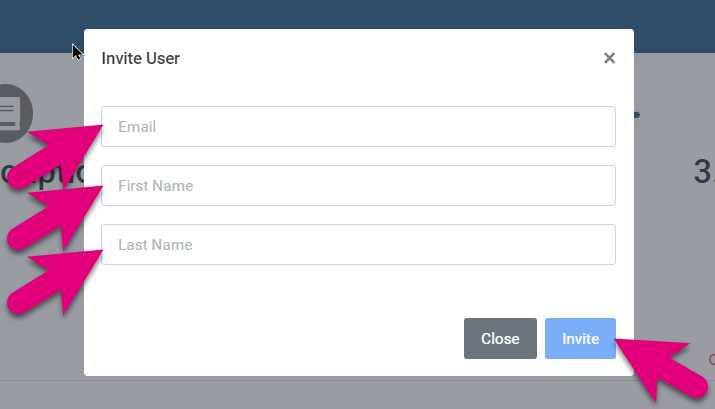
To add a new user to your account,
- Make sure you have the appropriate number of users selected in your subscription.
- You must have enough “Prima Core” users in your subscription to increase the number of users.
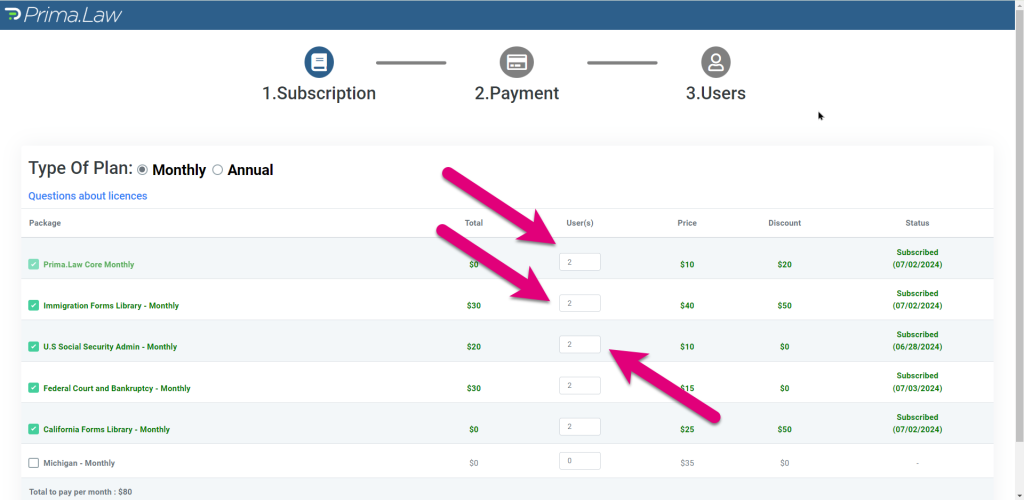
- If you want the new user to have access to a forms library, make sure you have enough library subscriptions.
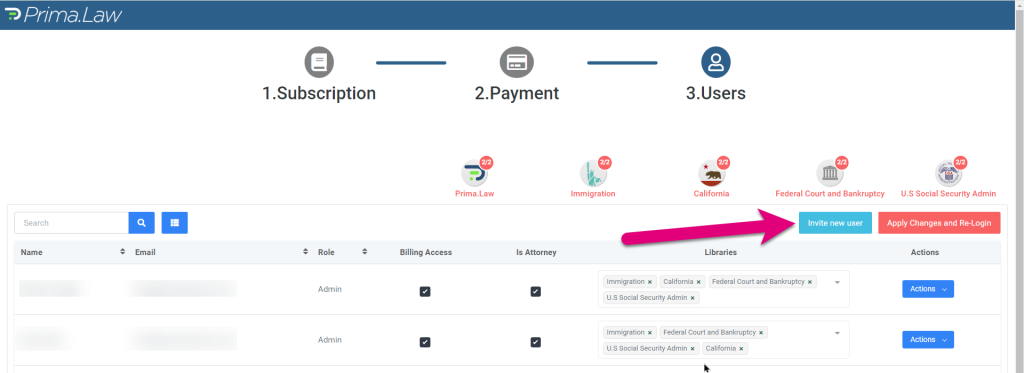
- Navigate to the “Users” section at the top.
- Here you will manage your users and invite new users.
- After you invite a new user, they will be emailed a confirmation email with their password.
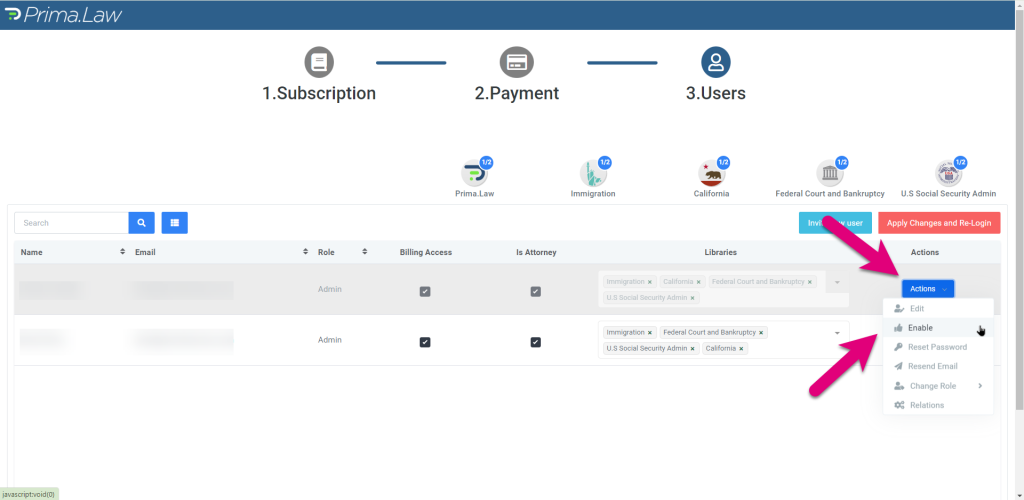
- If you don’t want to wait for them to confirm, simply ckick on the “Actions” button, and enable the new user manually by clicking on “Enable”.
 Anonymous